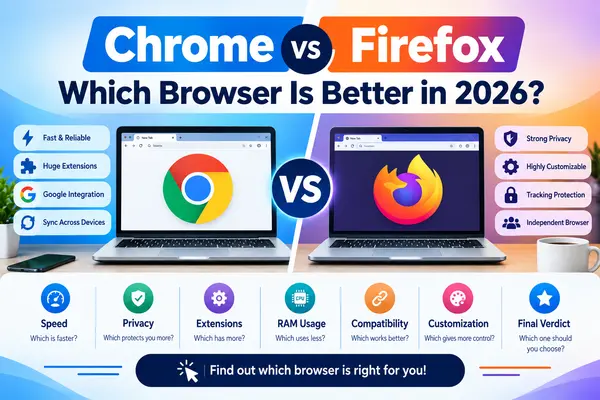
Choosing the right web browser can make a big difference in your everyday browsing experience. Google Chrome and Mozilla Firefox are two of the most popular browsers available for Windows, but they take somewhat different approaches to performance, privacy, customization, and user experience.
So, Chrome vs Firefox — which browser should you choose?
Chrome is well known for its large extension ecosystem, Google account integration, compatibility with modern websites, and synchronization across devices. Firefox, meanwhile, focuses strongly on privacy, customization, and an independent browser engine.
In this guide, we’ll compare Chrome vs Firefox in terms of speed, RAM usage, privacy, security, extensions, compatibility, customization, and overall user experience.
Chrome vs Firefox: Quick Comparison
| Feature | Google Chrome | Mozilla Firefox |
|---|---|---|
| Performance | Excellent | Excellent |
| Website Compatibility | Excellent | Very Good |
| Privacy | Good | Excellent |
| Extensions | Huge library | Large library |
| Google Integration | Excellent | Good |
| Customization | Good | Excellent |
| Cross-device Sync | Excellent | Excellent |
| RAM Usage | Can be high | Can also be high |
| Open Source | Chromium components | Open source |
| Best For | General users & Google ecosystem | Privacy & customization |
There isn’t one browser that is perfect for everyone. The best option depends on your priorities.
What Is Google Chrome?
Google Chrome is a web browser developed by Google. It is based on the Chromium browser project and is designed to provide fast browsing, broad website compatibility, security features, and integration with Google services.
Chrome works across multiple platforms, including Windows, macOS, Linux, Android, and iOS.
One of Chrome’s biggest advantages is its integration with the Google ecosystem. If you already use services such as Gmail, Google Drive, YouTube, and Google Password Manager, Chrome can provide a convenient experience.
Chrome Key Features
- Fast web browsing
- Large extension library
- Google account synchronization
- Password management
- Built-in security features
- Developer tools
- Automatic updates
- Cross-device synchronization
- Wide website compatibility
What Is Mozilla Firefox?
Mozilla Firefox is a web browser developed by Mozilla. Unlike Chrome, Firefox uses Mozilla’s own Gecko browser engine.
Firefox is particularly popular among users who care about privacy, customization, and having an alternative to browsers based on Chromium.
Mozilla’s current Firefox for Windows page emphasizes privacy and user control, while also providing standard, ESR, and other builds.
Firefox Key Features
- Privacy-focused features
- Tracking protection
- Customizable interface
- Large extension ecosystem
- Password management
- Cross-device synchronization
- Developer tools
- Multiple customization options
- Open-source development
Chrome vs Firefox: Performance
Performance is one of the first things people consider when choosing a browser.
Both Chrome and Firefox are capable of handling modern websites, streaming, web applications, online documents, social media, and other everyday tasks.
Google Chrome Performance
Chrome has a reputation for strong performance and excellent compatibility with modern web applications.
Because Chromium is widely used across the web, developers frequently test websites and applications against Chromium-based browsers.
Firefox Performance
Firefox has also improved significantly over the years and can provide a fast browsing experience on modern computers.
Performance can vary depending on:
- CPU
- RAM
- Number of open tabs
- Browser extensions
- Website complexity
- Background applications
Winner: Tie
For most users, the difference will not be dramatic during normal web browsing.
Chrome vs Firefox: RAM Usage
RAM usage is another common concern.
Both browsers can consume significant memory when you have many tabs and extensions open.
For example, having:
- 20+ browser tabs
- Multiple extensions
- Web applications
- Video streaming
- Online editing tools
can increase memory usage considerably.
Therefore, it isn’t accurate to say that one browser will always use less RAM than the other.
If Your PC Has 4GB or 8GB RAM
If your computer has limited RAM, try to:
- Keep fewer tabs open
- Remove unnecessary extensions
- Close unused browser windows
- Avoid running many heavy applications simultaneously
You can also use Task Manager in Windows to monitor browser memory usage.
For more information about checking RAM and other hardware specifications, see our guide:
How to Check PC Specifications in Windows 11
Chrome vs Firefox: Privacy
Privacy is one of the biggest differences between Chrome and Firefox.
Chrome Privacy
Chrome includes various privacy and security controls and allows users to manage permissions, cookies, tracking-related settings, and other browser options.
However, Chrome is part of Google’s broader ecosystem.
Firefox Privacy
Firefox places a strong emphasis on privacy and tracking protection.
Mozilla describes Firefox as a browser designed to give users more control over their data and browsing experience.
Firefox can therefore be an attractive option for people who prioritize privacy.
Winner: Firefox
If privacy is your primary concern, Firefox is generally the more appealing choice.
Chrome vs Firefox: Security
Both browsers receive regular security updates and include protections against potentially dangerous websites and downloads.
Chrome benefits from Google’s security infrastructure and frequent updates.
Firefox also receives regular security updates and includes features designed to protect users from malicious websites and tracking.
Winner: Tie
For most users, keeping the browser updated to the latest version is more important than choosing between Chrome and Firefox.
Chrome vs Firefox: Extensions
Browser extensions allow you to add additional functionality.
You can find extensions for:
- Ad blocking
- Password management
- Productivity
- Screenshot tools
- Download management
- Developer tools
- Shopping
- Translation
- Note-taking
Chrome Extensions
Chrome has access to the huge Chrome Web Store ecosystem, making it easy to find extensions for almost every common task.
Firefox Extensions
Firefox also has a large collection of extensions through Mozilla’s add-on ecosystem.
Winner: Chrome
Chrome has an advantage in extension availability and broad developer support.
Chrome vs Firefox: Customization
Firefox is particularly strong when it comes to customization.
Users can change various aspects of the browser interface and customize their browsing experience using themes and extensions.
Chrome also provides customization options, including themes and settings for the browser interface.
Winner: Firefox
If you enjoy changing the look and behavior of your browser, Firefox is a strong choice.
Chrome vs Firefox: Google Services
If you regularly use:
- Gmail
- Google Drive
- Google Docs
- Google Photos
- YouTube
- Google Meet
Chrome provides excellent integration with Google’s ecosystem.
You can sign in to Chrome and synchronize browser data such as bookmarks, settings, passwords, and other supported information across devices.
Winner: Chrome
For people heavily invested in Google services, Chrome is usually the more convenient option.
Chrome vs Firefox for Windows 11
Both browsers are suitable for Windows 11.
Chrome officially supports Windows 10 and later on compatible Intel-based systems, while Google’s current requirements also list Windows 11 for ARM processors. Firefox also provides a dedicated Windows download and supports modern Windows systems. Mozilla currently directs users to its Windows download page for the appropriate Firefox build.
If you’re using a modern Windows 11 PC, either browser should work well.
Which Browser Is Faster: Chrome or Firefox?
There is no universal answer.
Browser performance changes depending on:
- Hardware
- Website
- Number of tabs
- Extensions
- Browser version
- Operating system
- Background processes
Chrome may perform particularly well with websites optimized for Chromium, while Firefox can perform very well across a wide range of websites.
Instead of focusing only on benchmark scores, choose the browser that provides the best experience for the websites and applications you use every day.
Chrome vs Firefox: Which Is Better for Privacy?
If privacy is your biggest priority, Firefox is the better choice for many users.
Firefox places significant emphasis on tracking protection and user control.
Chrome also includes privacy and security controls, but users who prefer an independent browser ecosystem may prefer Firefox.
Privacy Winner: Firefox
Chrome vs Firefox: Which Is Better for Everyday Use?
For general users, Chrome is an excellent choice because of its:
- Easy interface
- Website compatibility
- Google integration
- Large extension ecosystem
- Cross-device synchronization
Firefox is also an excellent everyday browser, especially for users who want:
- More privacy-focused features
- Greater customization
- An alternative to Chromium
- Strong tracking protection
Everyday Use Winner: Chrome
Chrome vs Firefox: Which One Should You Choose?
Choose Google Chrome if:
- You use Google services frequently
- You want maximum website compatibility
- You need a huge extension library
- You frequently synchronize data across devices
- You want a simple and familiar interface
Choose Mozilla Firefox if:
- Privacy is important to you
- You want more customization
- You prefer an alternative to Chromium
- You want strong tracking protection
- You value an independent browser ecosystem
Download Google Chrome for Windows
If you have decided to use Chrome, always download it from Google’s official website rather than an unknown third-party source.
👉 Download Google Chrome for Windows – Official Google Website
Google’s official help documentation explains that Chrome can be downloaded and installed on supported Windows systems by downloading the installation file and following the on-screen instructions.
Download Mozilla Firefox for Windows
Firefox is also available directly from Mozilla.
👉 Download Mozilla Firefox for Windows – Official Mozilla Website Mozilla’s official download page provides Firefox for Windows and additional build options.
Chrome vs Firefox: Final Verdict
So, Chrome vs Firefox — which one is better?
The answer depends on what you need.
Google Chrome is an excellent all-around browser with strong website compatibility, a huge extension ecosystem, and excellent Google integration.
Mozilla Firefox is an excellent alternative for users who prioritize privacy, customization, and independence from the Chromium ecosystem.
Our Recommendation
Best for general users: Google Chrome
Best for Google users: Google Chrome
Best for extensions: Google Chrome
Best for privacy: Mozilla Firefox
Best for customization: Mozilla Firefox
Best alternative to Chromium: Mozilla Firefox
Best overall: It depends on your needs
The good news is that both browsers are free, and you can install both on the same Windows PC and decide which one you prefer.
Frequently Asked Questions
Is Chrome better than Firefox?
Chrome is better for users who prioritize Google integration, broad website compatibility, and a large extension ecosystem. Firefox can be better for users who prioritize privacy and customization.
Is Firefox safer than Chrome?
Both browsers provide security features and receive regular security updates. Keeping your browser updated is essential regardless of which browser you choose.
Which browser uses less RAM?
RAM usage varies depending on the number of tabs, extensions, websites, and your system configuration. Neither browser consistently uses less RAM in every situation.
Which is better for Windows 11, Chrome or Firefox?
Both are excellent options for Windows 11. Chrome is particularly strong for compatibility and Google services, while Firefox is attractive for privacy and customization.
Can I use Chrome and Firefox on the same PC?
Yes. You can install and use both browsers on the same Windows computer.
Is Firefox free?
Yes. Firefox is available as a free browser from Mozilla.
Where should I download Chrome and Firefox?
For security, download them from their official publishers:
Google Chrome: Official Google website
Mozilla Firefox: Official Mozilla website
More Windows Guides
If you want to learn more about Windows 11 and PC software, check out these guides on Free Software Download:
- How to Check PC Specifications in Windows 11
- How to Free Up Space on Windows 11
- 32-bit vs 64-bit: Which One Should You Choose?
- Best Software for Windows 11 in 2026
- Google Chrome vs Firefox
- Chrome or Firefox
- Firefox vs Chrome
- best browser for Windows 11
- Chrome vs Firefox privacy
- Chrome vs Firefox RAM usage
- best web browser for Windows